






The campus in every student’s pocket
An app for students, a portal for the school: classes, rooms, the student card, campus life and its numbers, finally in one place.
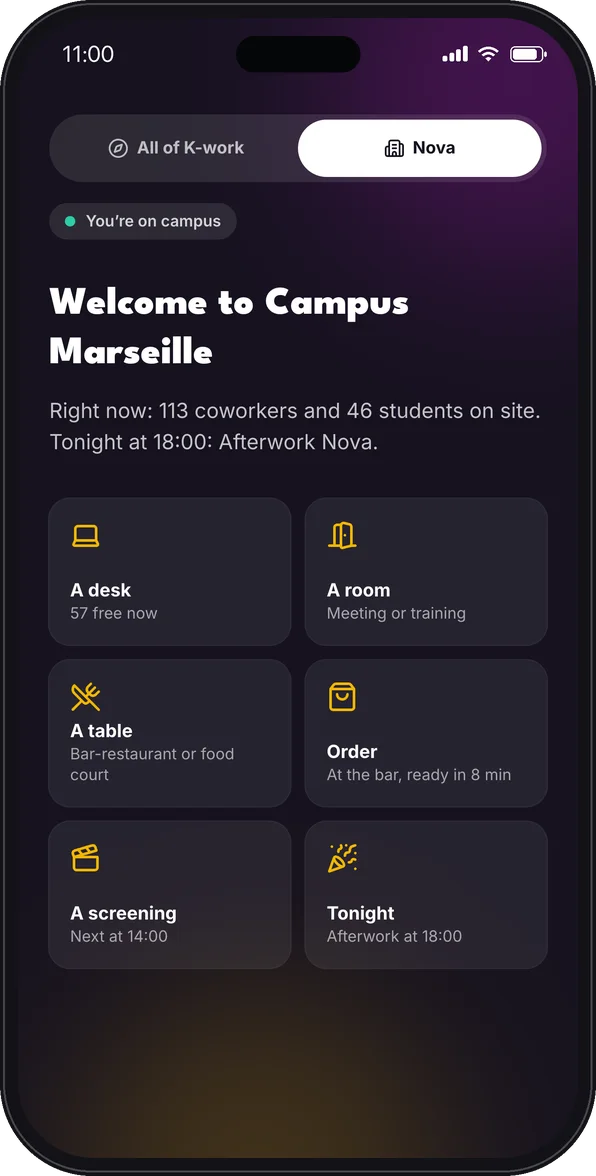
The whole campus, on their phone.
What they used to look for in a chat group, on a poster or in a shared spreadsheet, they now find in one app, the one they keep on internships and travels.
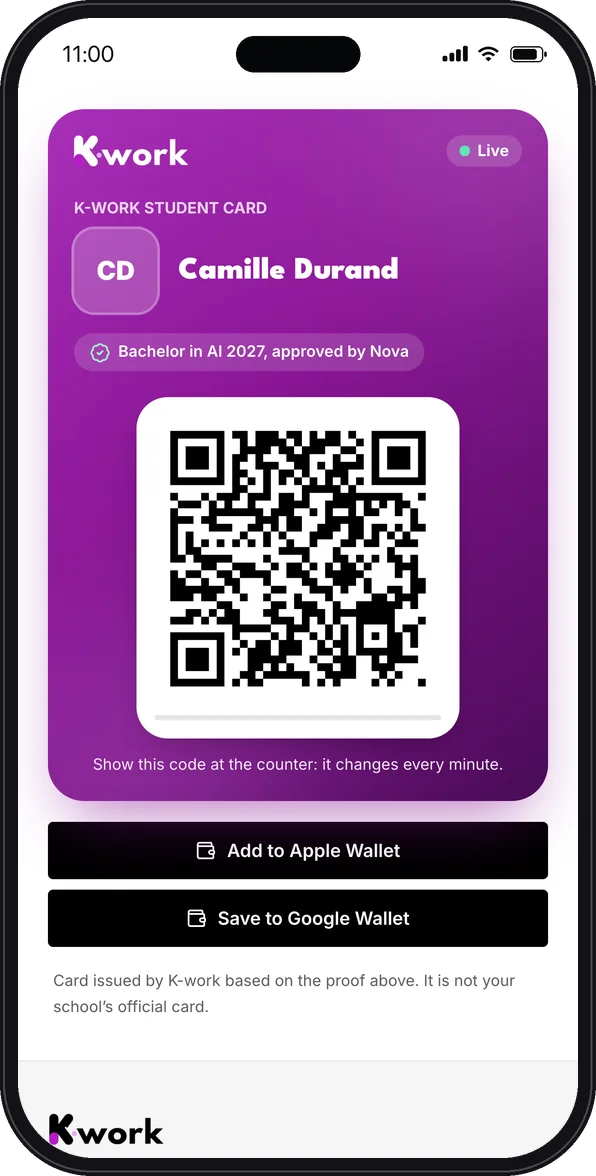
Their student card, in the Wallet
A code that changes every minute, checkable at the counter, kept in Apple Wallet or Google Wallet. It shows the cohort, and that the school validated it.
Their day, on campus time
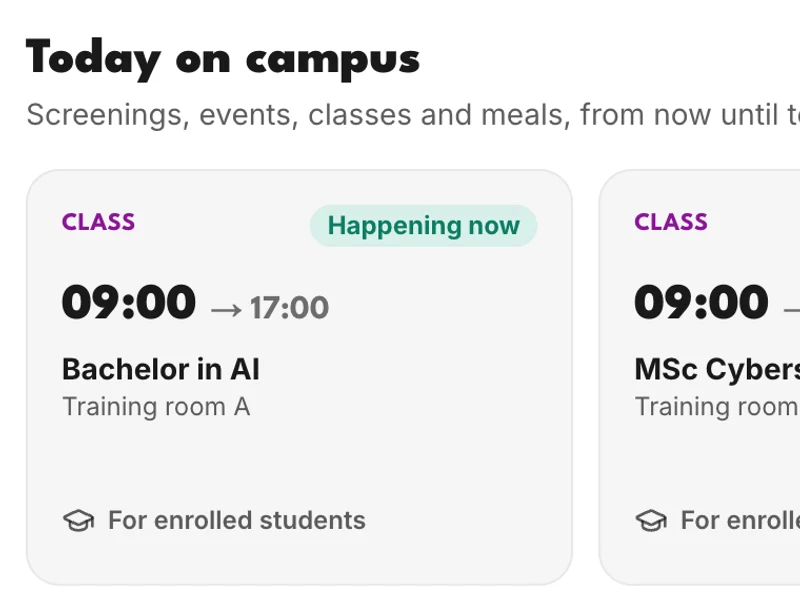
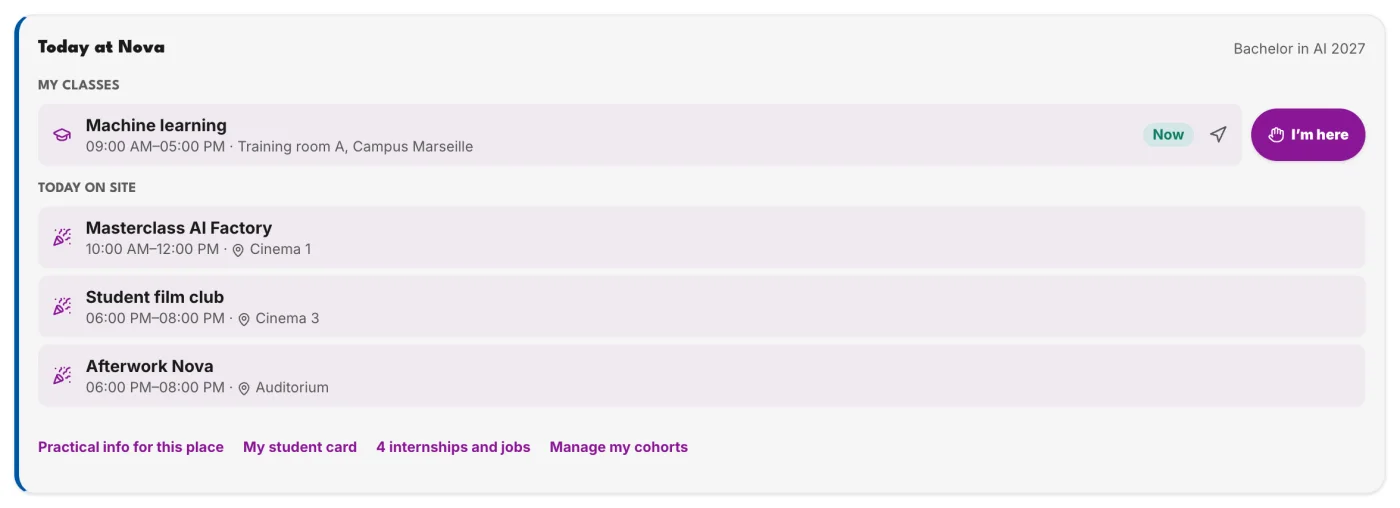
“My day” brings together their cohort’s classes with the room, their bookings and what is happening on campus today. They know where to go before they even ask.
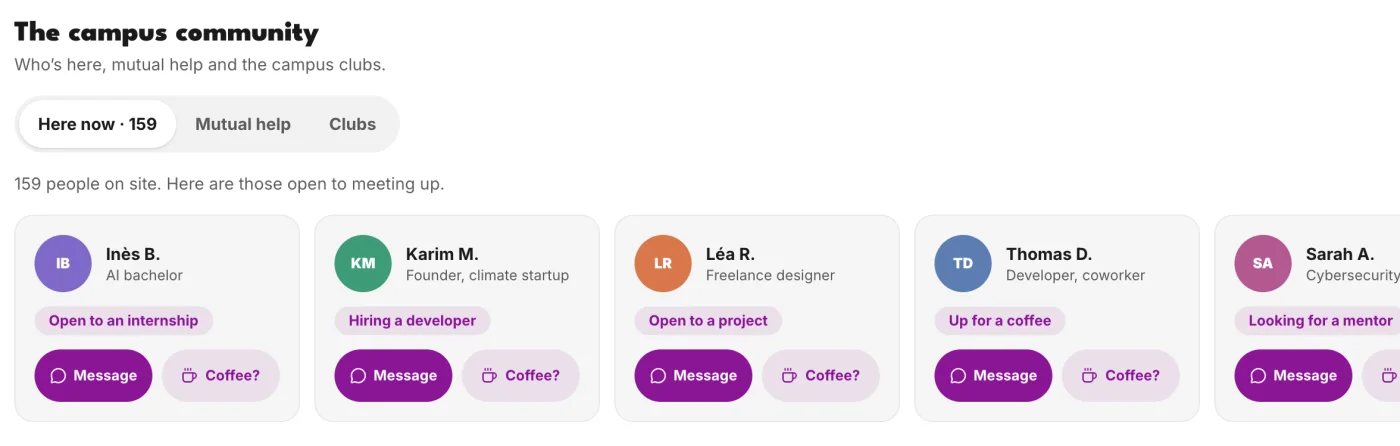
A community, not a directory
Who is on campus right now, who is looking for an internship, a co-founder or a coffee: people recognise each other, write, and meet up. Mutual help and clubs live in the same place.
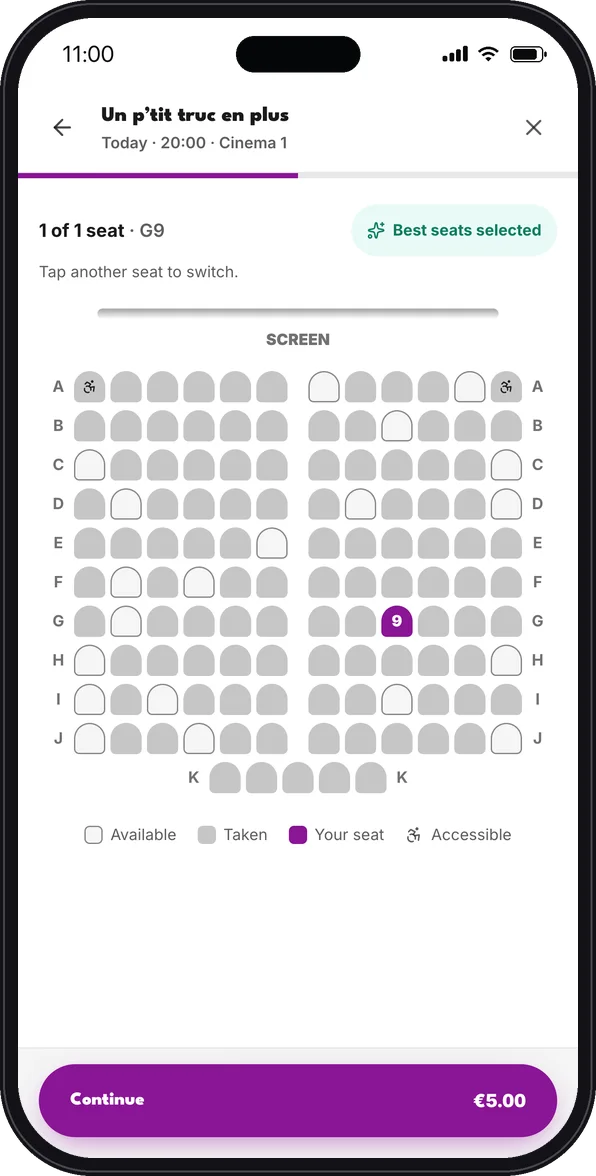
Campus life, in one tap
A screening, a talk, a party: they pick their seat and pay in the app, with Krédits or by card.
Free rooms, right now
A desk or a room free right now, booked in one tap, with the way there on the campus map.
Kai, the assistant
“Where is my class?”, “a room tomorrow at 2 pm”, the infirmary’s number: Kai answers with the school’s own information.
Internships and jobs
Offers from the companies on site and the school’s partners, right next to the students they are looking for.
Attendance in one tap
The code projected in class, or “I’m here”: attendance is taken without a sheet going around.
Every student joins the K-work network.
The campus account is a K-work account: on an internship, a work-study placement or a trip, the same app and the same balance.
The school runs its campus from a single portal.
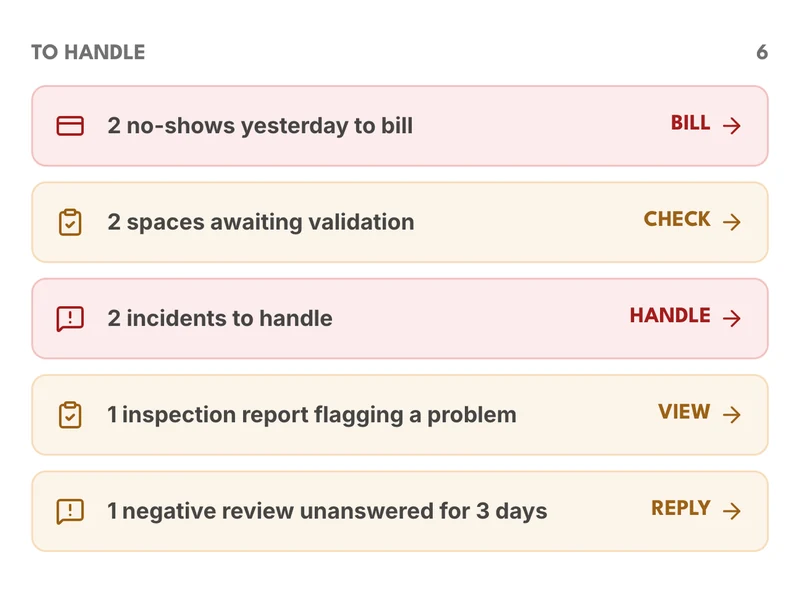
Students, classes, rooms, the programme and the numbers: the campus team sees what is happening and acts in one place, with no spreadsheet and no re-entry.
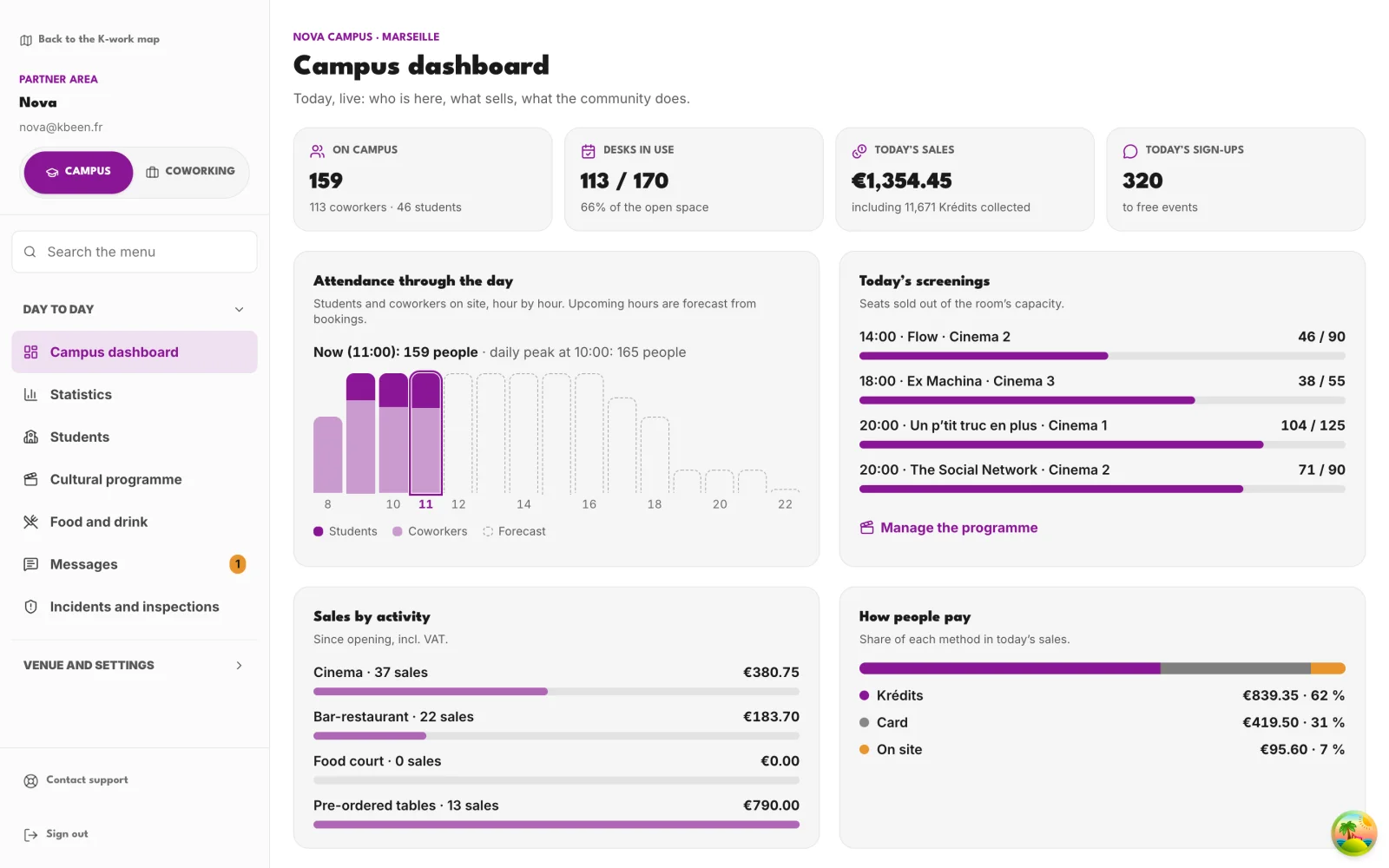
The school portal in demo mode: a fictional campus, sample data.
Students and their cohorts
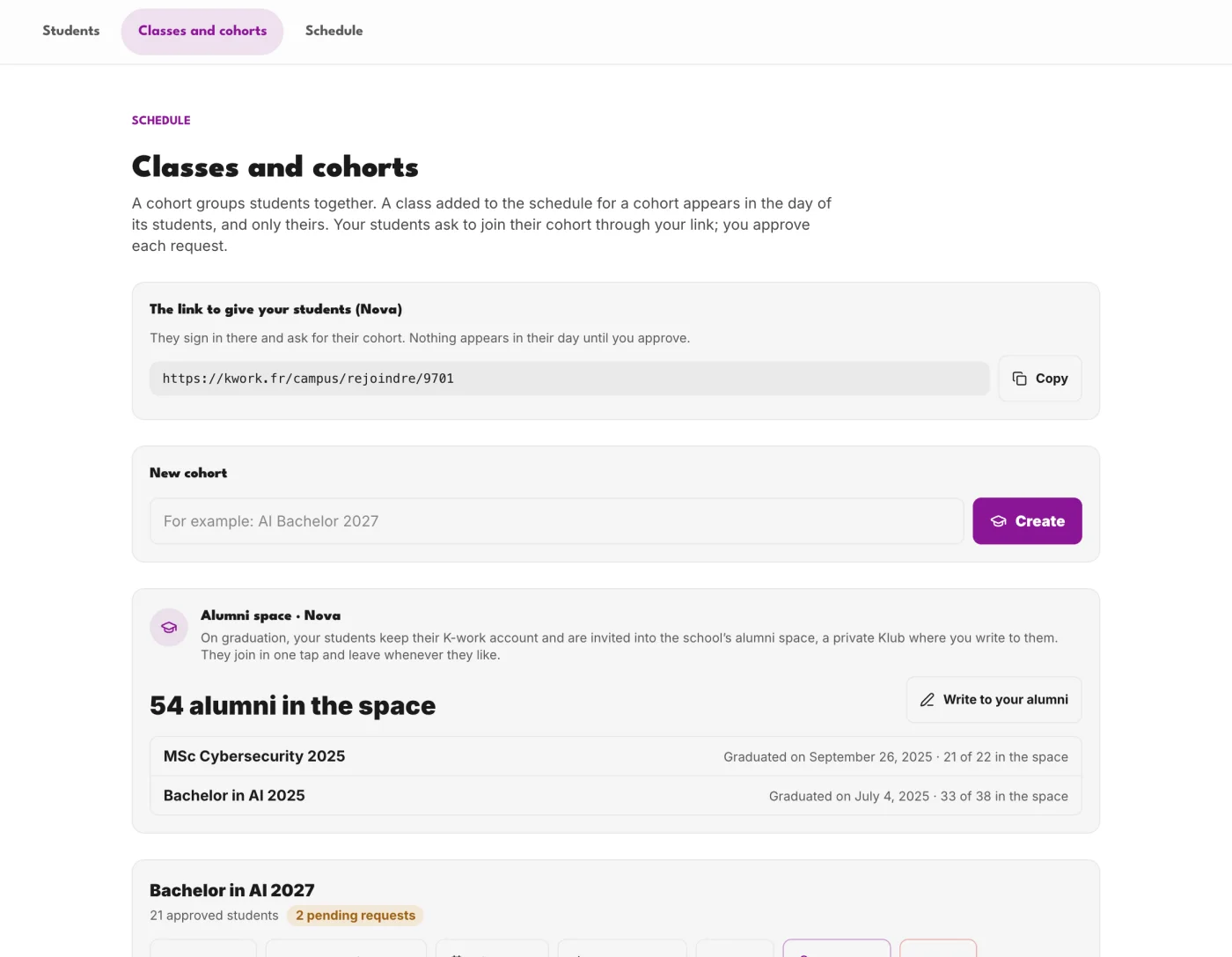
Who is signed up, validated, in which cohort, and who came this week. Students ask to join their cohort through the school’s link; the team approves in one tap. At graduation, they keep their account and join the alumni space.
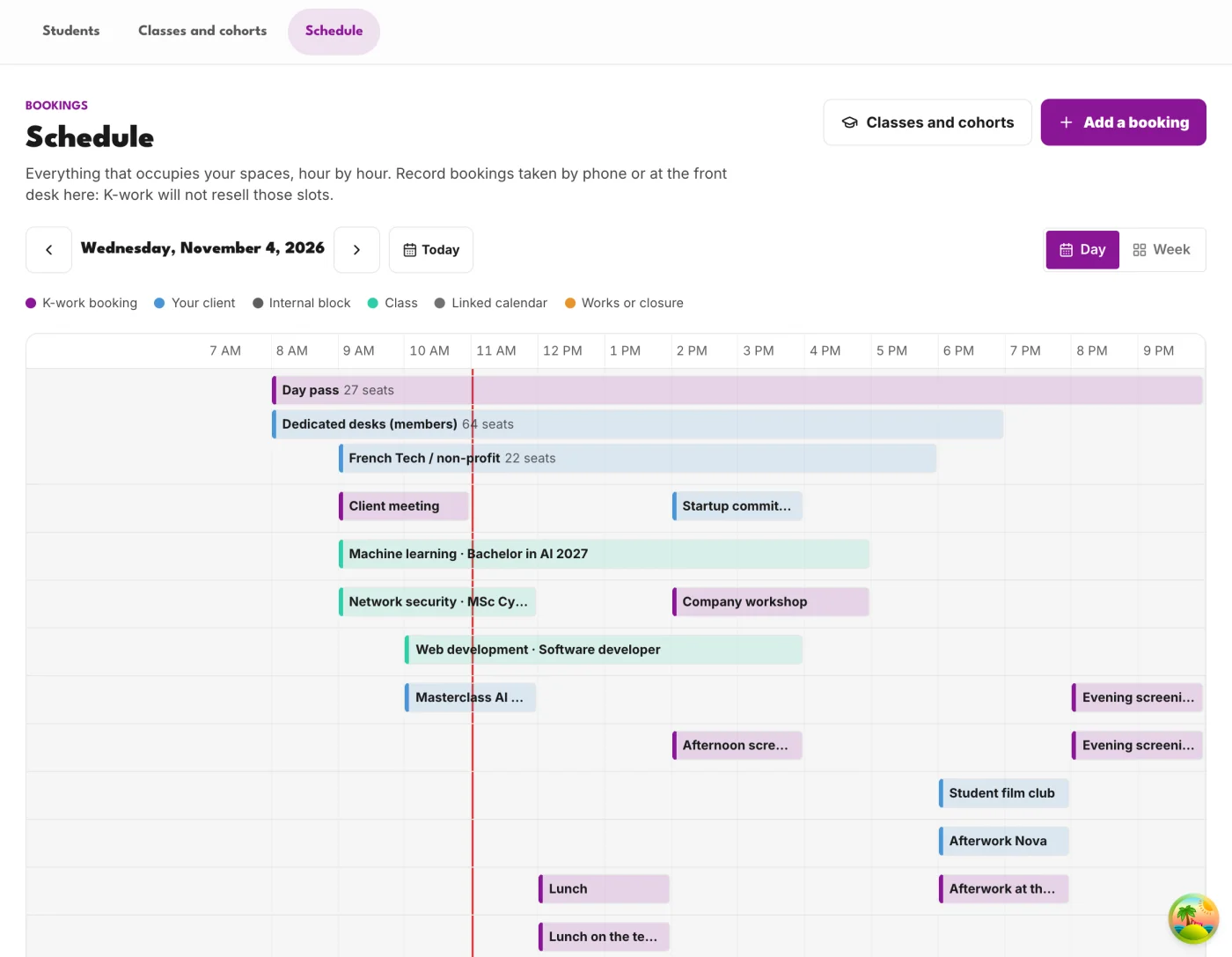
Classes and rooms, on one schedule
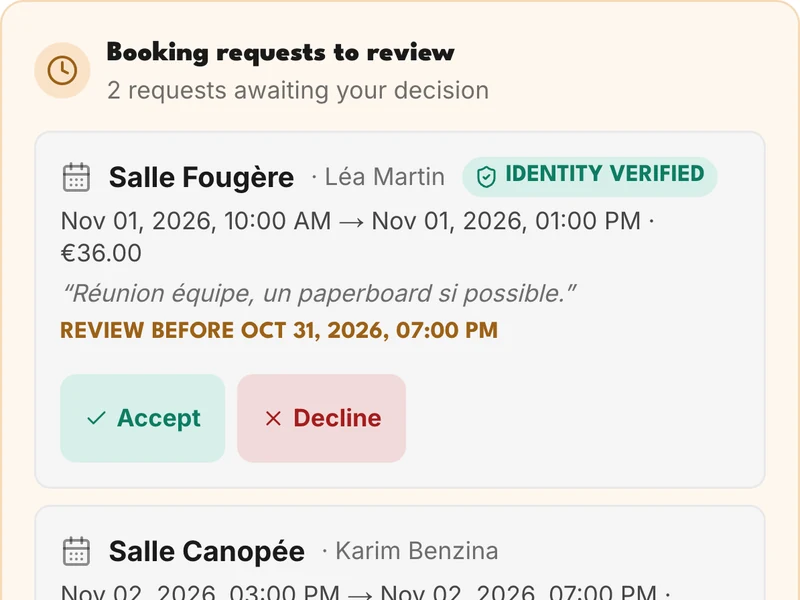
Classes, bookings and events, room by room and hour by hour. A class set for a cohort shows up in its students’ day, and theirs only.
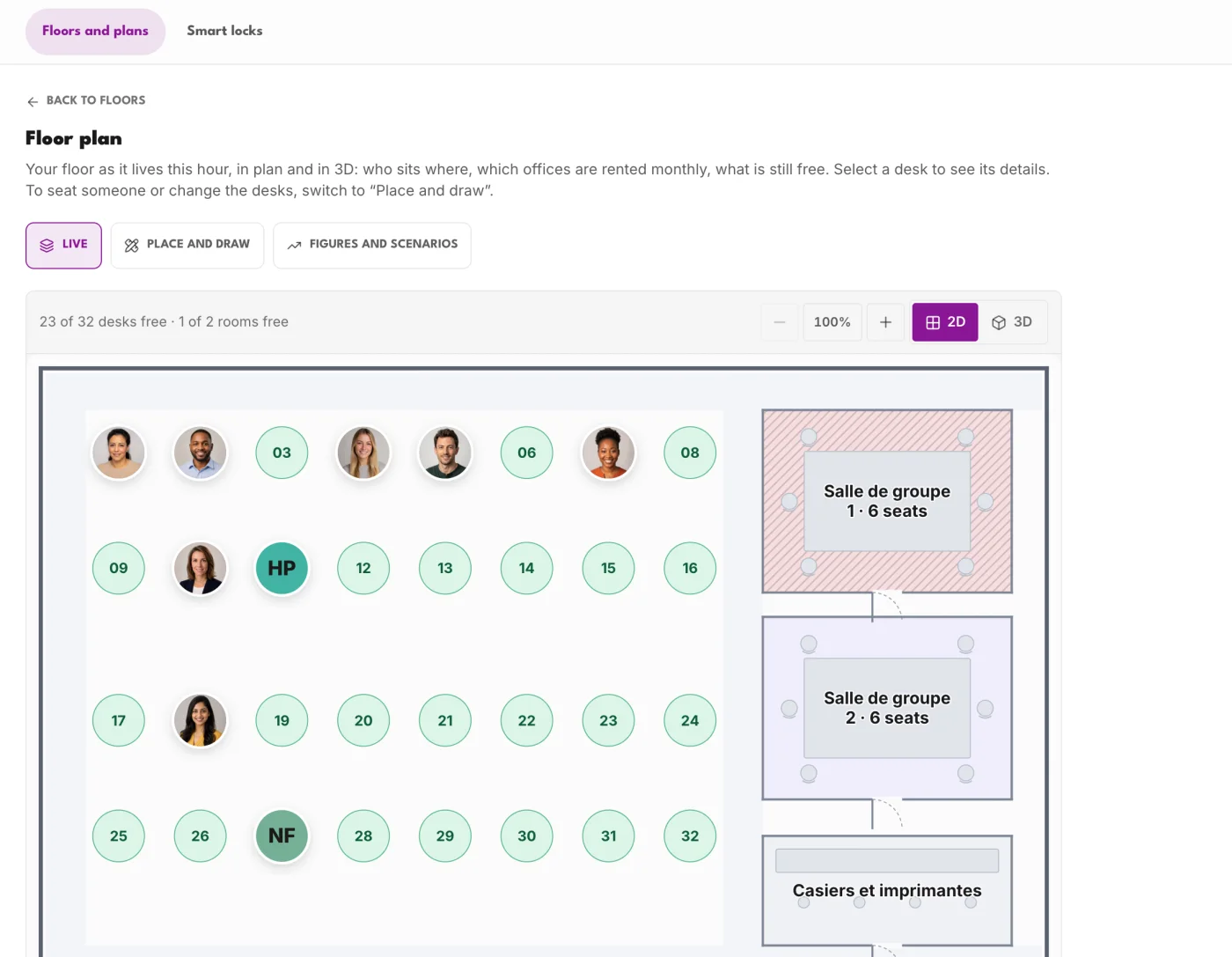
The campus map, live
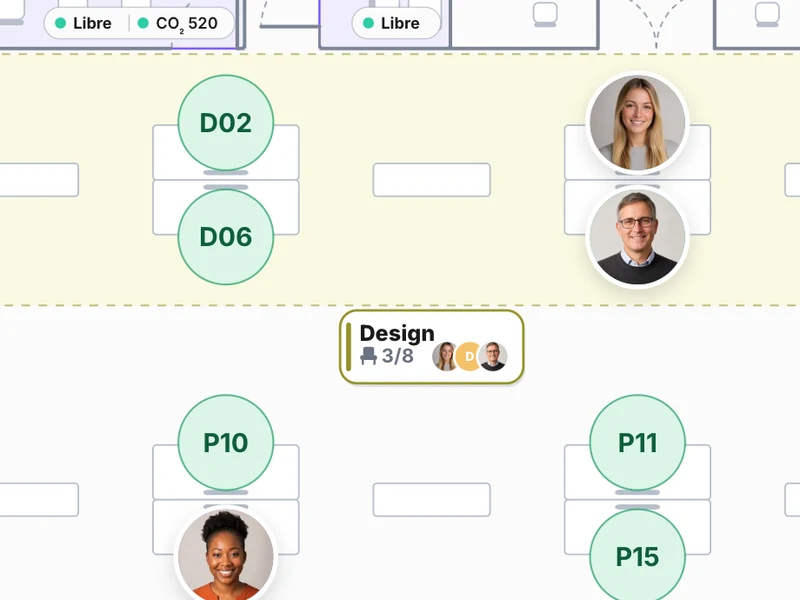
Drawn once, in 2D or 3D: who sits where, what is still free, the room closed for works. It also guides students to their room.
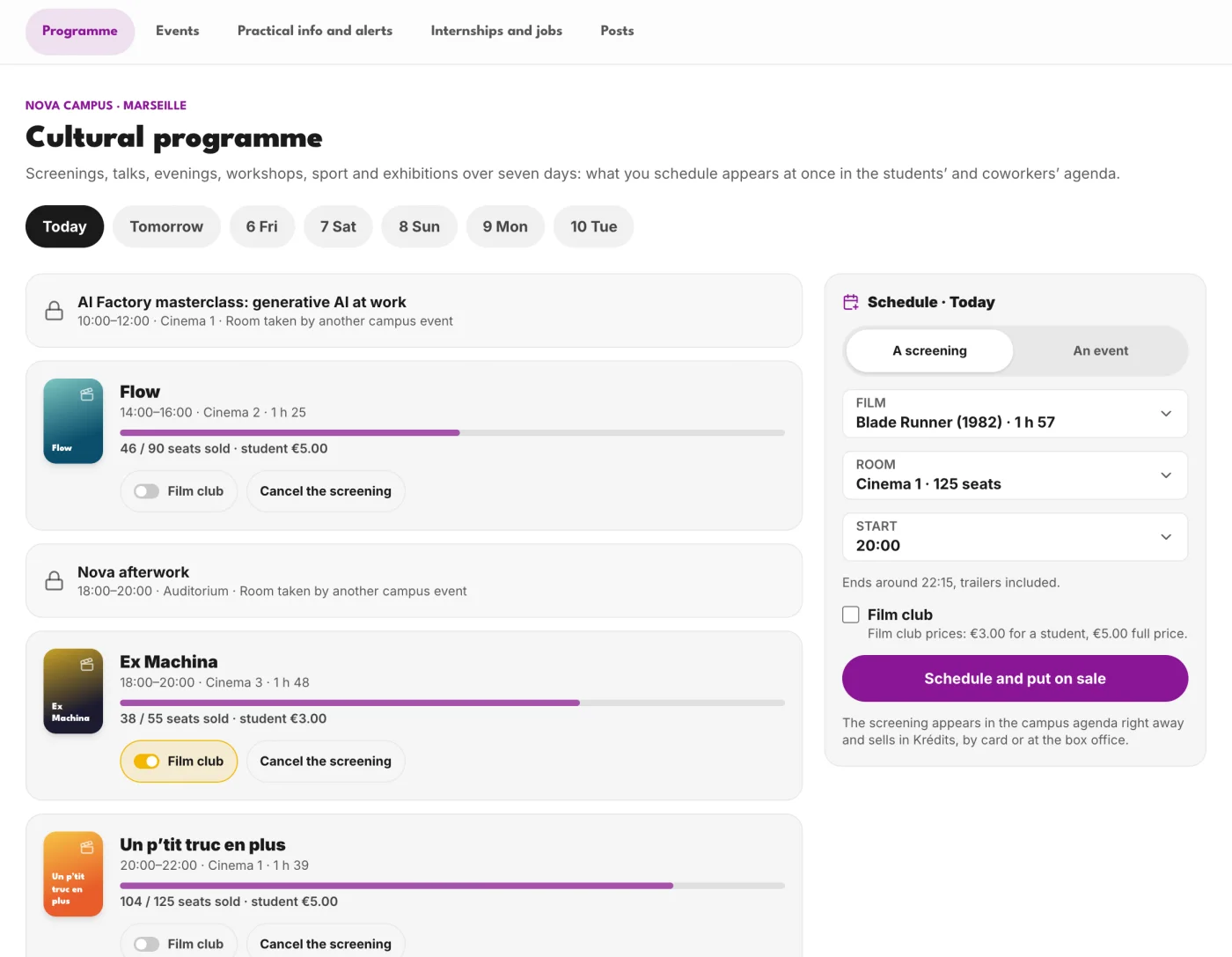
The programme and events
The campus week is published in minutes: workshops, talks, screenings, student society meetups. Free or paid, with sign-ups and attendance.
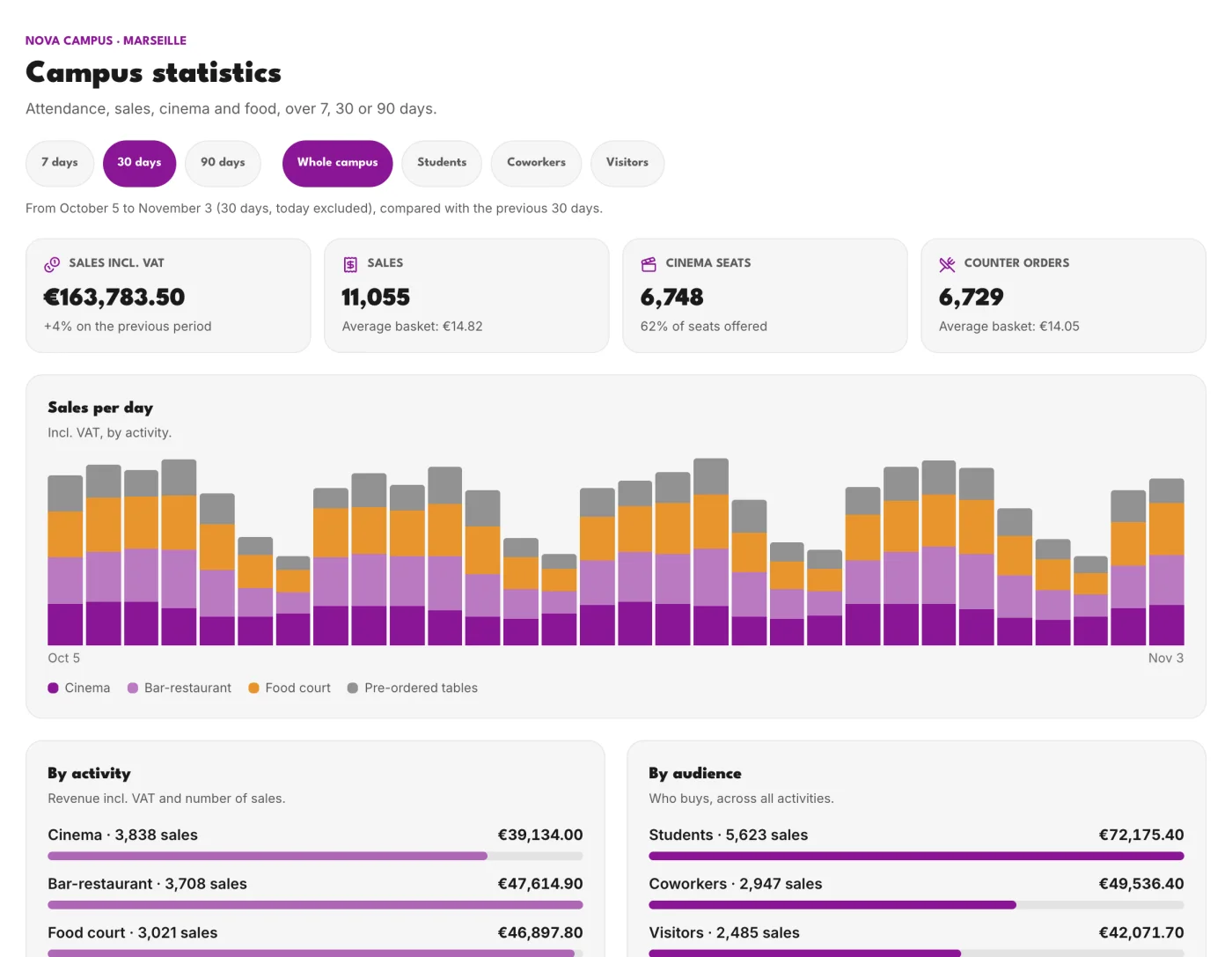
What works, backed by numbers
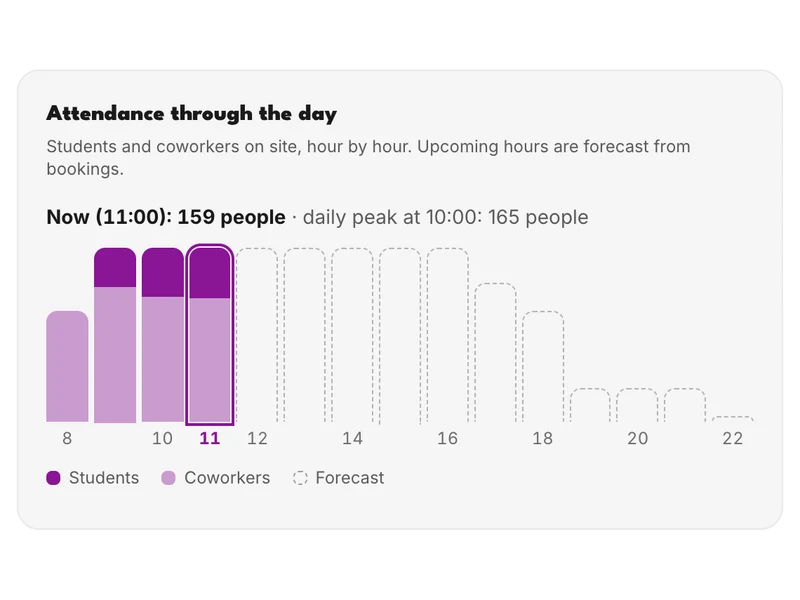
Attendance, sales, seats, food, over 7, 30 or 90 days. Every number says what it counts and out of how many: the school knows what brings its students in.
What the student lives, the school runs.
Classes
The studentThey see their classes and rooms in their day.
The schoolIt sets them on the schedule, cohort by cohort.
Attendance
The studentThey scan the projected code, or say “I’m here”.
The schoolIt projects the code, checks people in by hand, exports the list.
The account
The studentThey sign in with the school account; their card is in the Wallet.
The schoolIt connects sign-in and the directory, and organises cohorts.
Rooms
The studentThey book a room and find their way to it.
The schoolIt draws the floors and rooms, and places the sensors.
Kai and practical info
The studentThey ask Kai where the infirmary is.
The schoolIt keeps the places and useful numbers that Kai quotes.
Campus life
The studentThey sign up for events and see internship offers.
The schoolIt publishes the programme, events and offers.
The school account, with nothing to re-enter
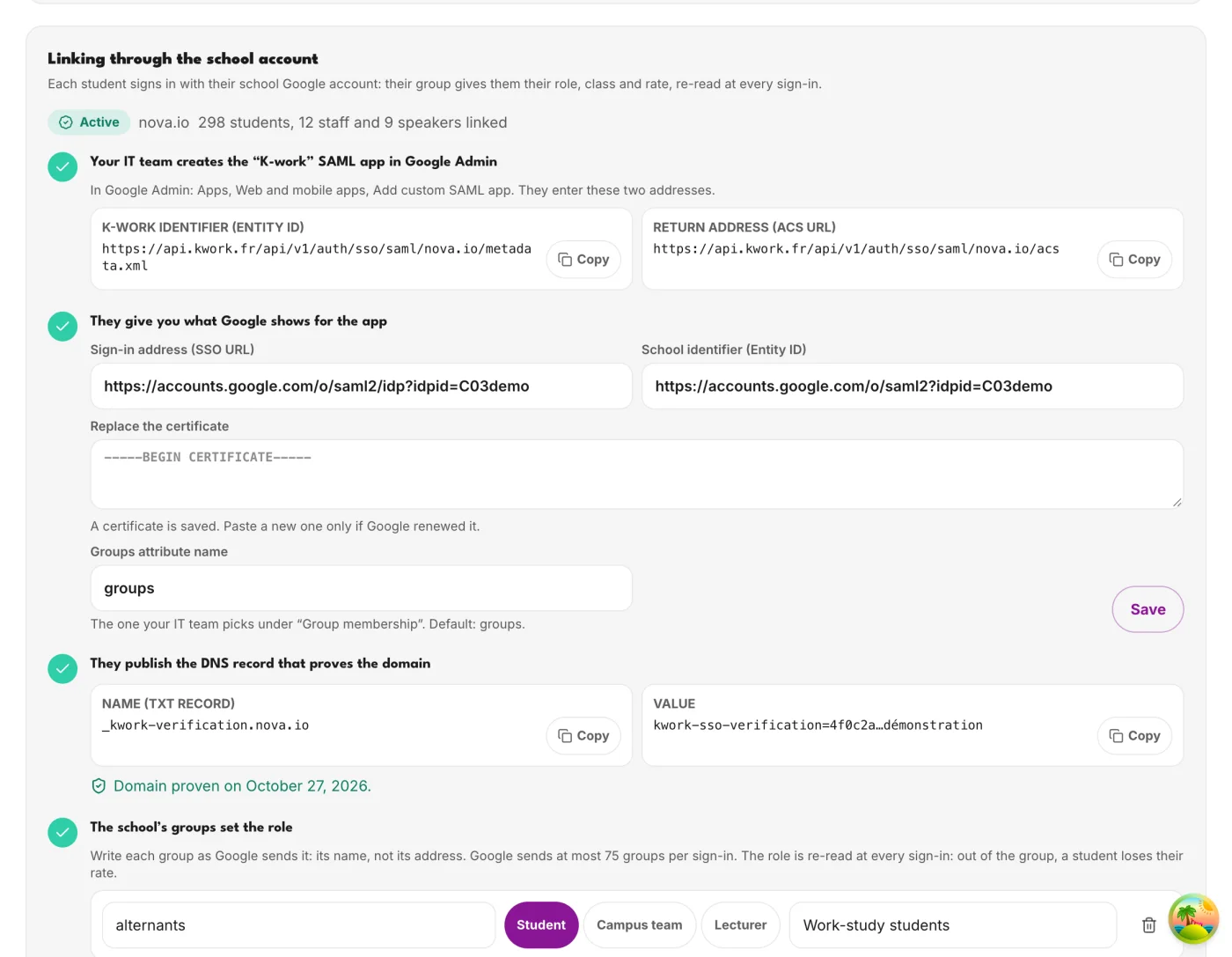
Each student signs in with the school’s Google Workspace or Microsoft Entra account. Their groups give them their role, cohort and rate, read again at every sign-in: once out of the group, access ends on its own.
The school directory can also keep accounts up to date (SCIM): an enrolment, a departure, a change of cohort, without the team lifting a finger.
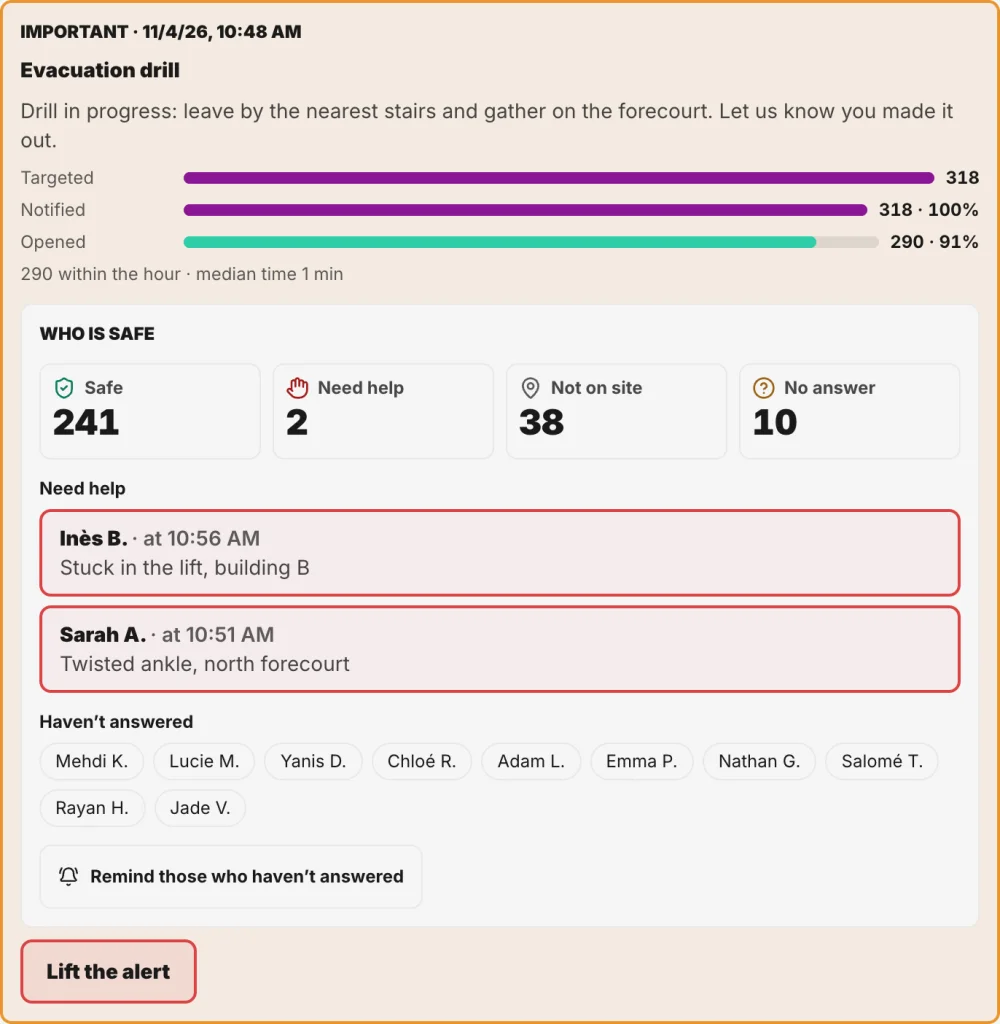
One instruction to the whole campus, and everyone answers
An evacuation drill, a closure, an incident: the school alerts the whole campus at once. Everyone answers in one tap, safe or in need of help, and the team sees who has not answered yet.
Three plans, depending on the size of the campus.
Each plan includes the previous one. Sign-in with the school account and K-work+ for every student come with the first one.
Campus
- Up to 499 users
- The campus app and the school portal
- My day, classes and cohorts, attendance
- Student card in the Wallet
- Sign-in with the school account
- No commitment, minimum €50 per month
Large campus
- From 500 users
- Everything in Campus
- Several buildings and sites
- The school directory (SCIM)
- Venue statistics and paid events
- On-site launch included
- 12-month commitment, minimum €500 per month
Custom
- From 10,000 users or several schools
- Everything in Large campus
- The timetable synced from the school’s system
- Kai on the school’s documents
- Engagement by cohort, the alumni space
- The school API and its colours
Prices excluding VAT. A user is an account attached to the campus on the last day of the month: validated student, team member or resident. Annual payment in advance: one month free.
Frequently asked questions
Yes: a 30 to 60-day POC with the full Campus offer, on your campus and with your students. At the end, you choose your plan; otherwise, access stops.
No. Students use the app on iOS, Android or the web, and the team works in the portal from a browser. The campus map is drawn in the portal; K Sense sensors are an option.
With the school account, once sign-in is connected, or through their cohort’s link, which the team approves. The school directory can keep accounts up to date.
No, the campus app is paid for by the school, and K-work+ is included for every student counted. Bookings in the K-work network, off campus, are paid for by the student.
A one-month launch: scoping with IT, importing rooms and the programme, training the team and a launch evening with the students.
In the European Union, in line with the GDPR. KBEEN never has access to card details: payments go through Stripe.
Your campus, connected from the start of term.
A demo on your campus, with your team and a few students.
Request a demo